Smart Gauge APP
-
ConceptApp and software by

* with an ELM327 OBD-II adapter
Any car.
Any screen.
The Android app works in any car: with the Smart Gauge CAN Checker, with an OBD adapter* or with just the phone and its GPS. You pick the data source for each car in the garage.
Coming soon to the Google Play Store. iOS app to follow later.
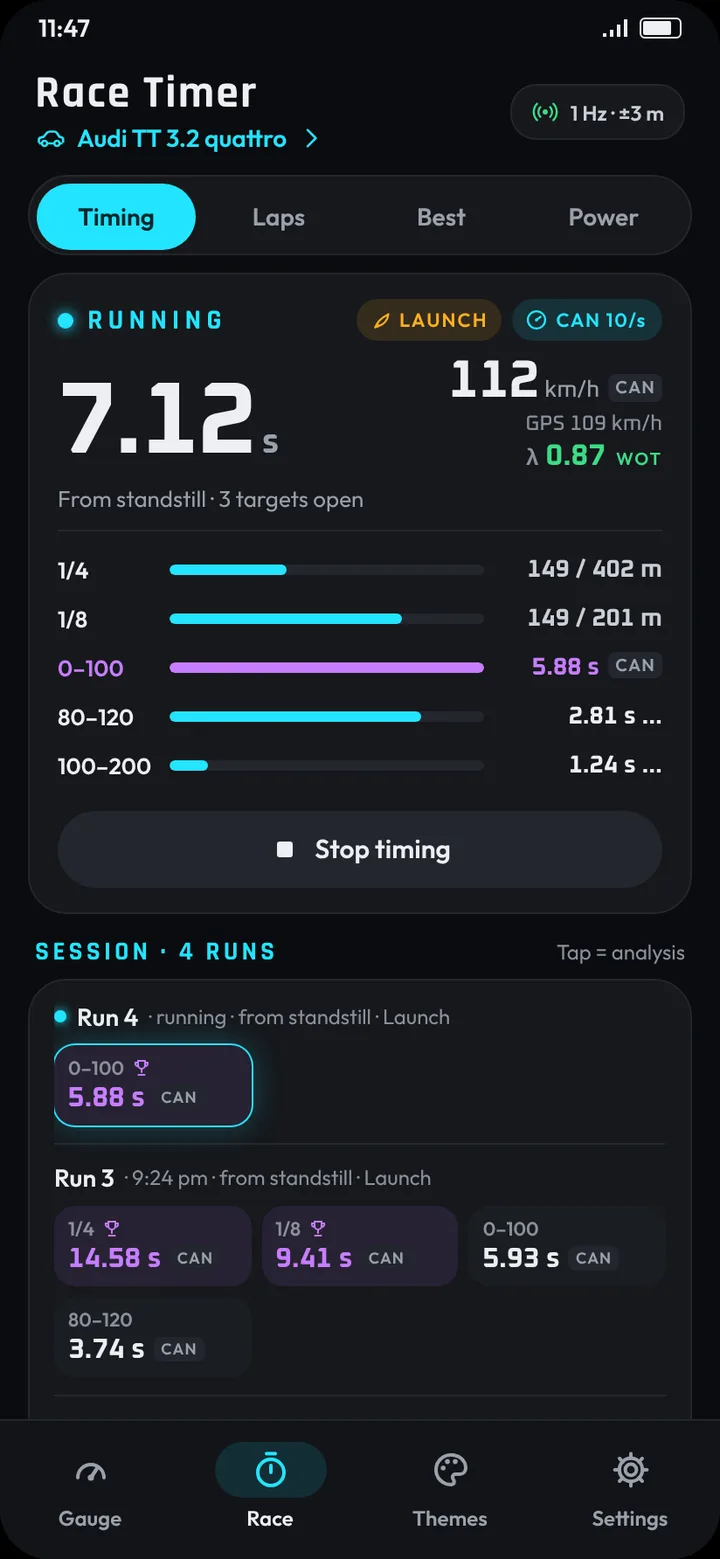
Race timer
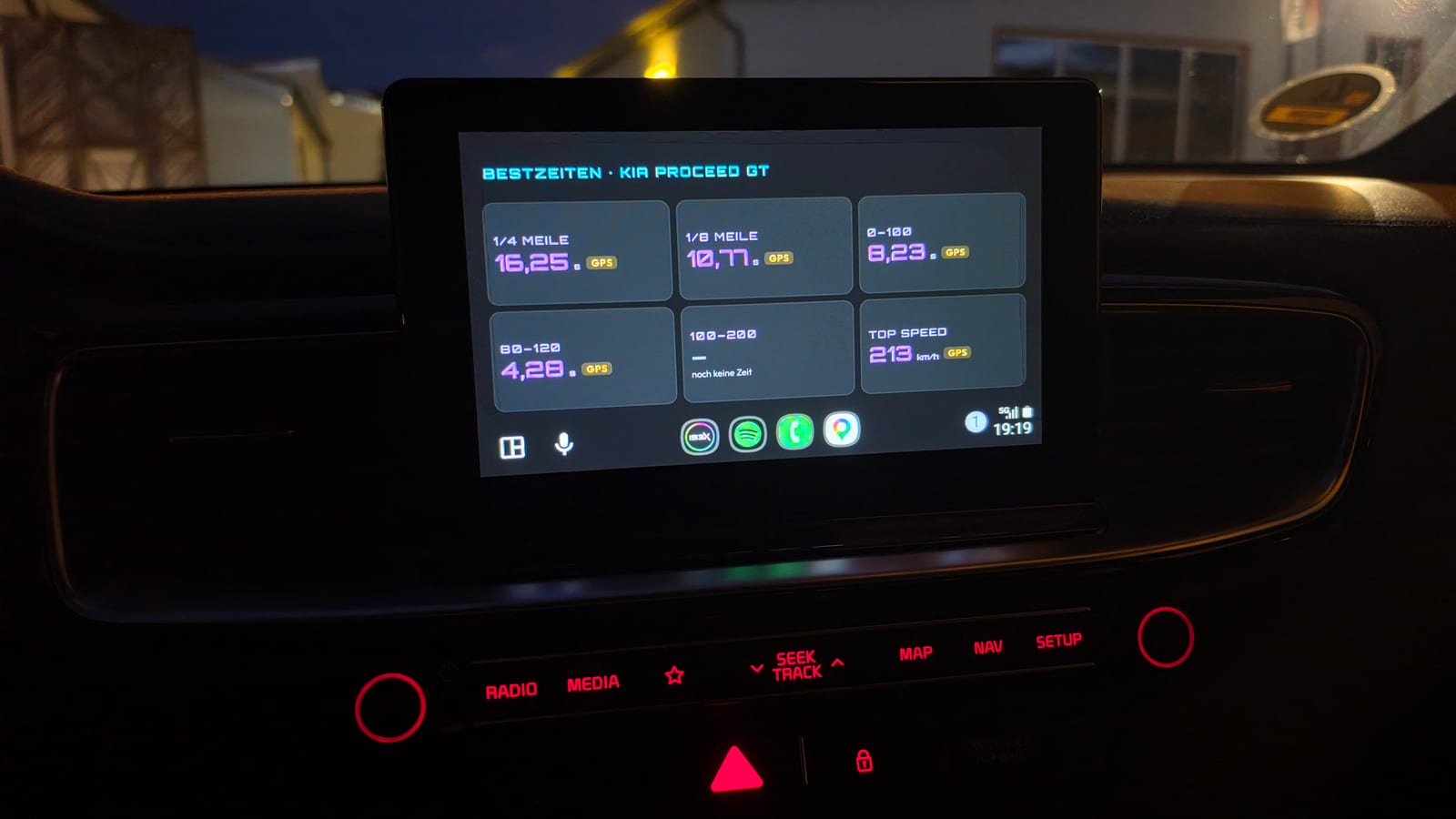
All five targets at once: 1/4 mile, 1/8 mile, 0–100, 80–120 and 100–200 km/h. Every time shows its source: CAN, OBD or GPS. Launch control is detected automatically. With an OBD adapter, lambda shows live under the speed, colour-rated at wide-open throttle (WOT) as a guide.Beta
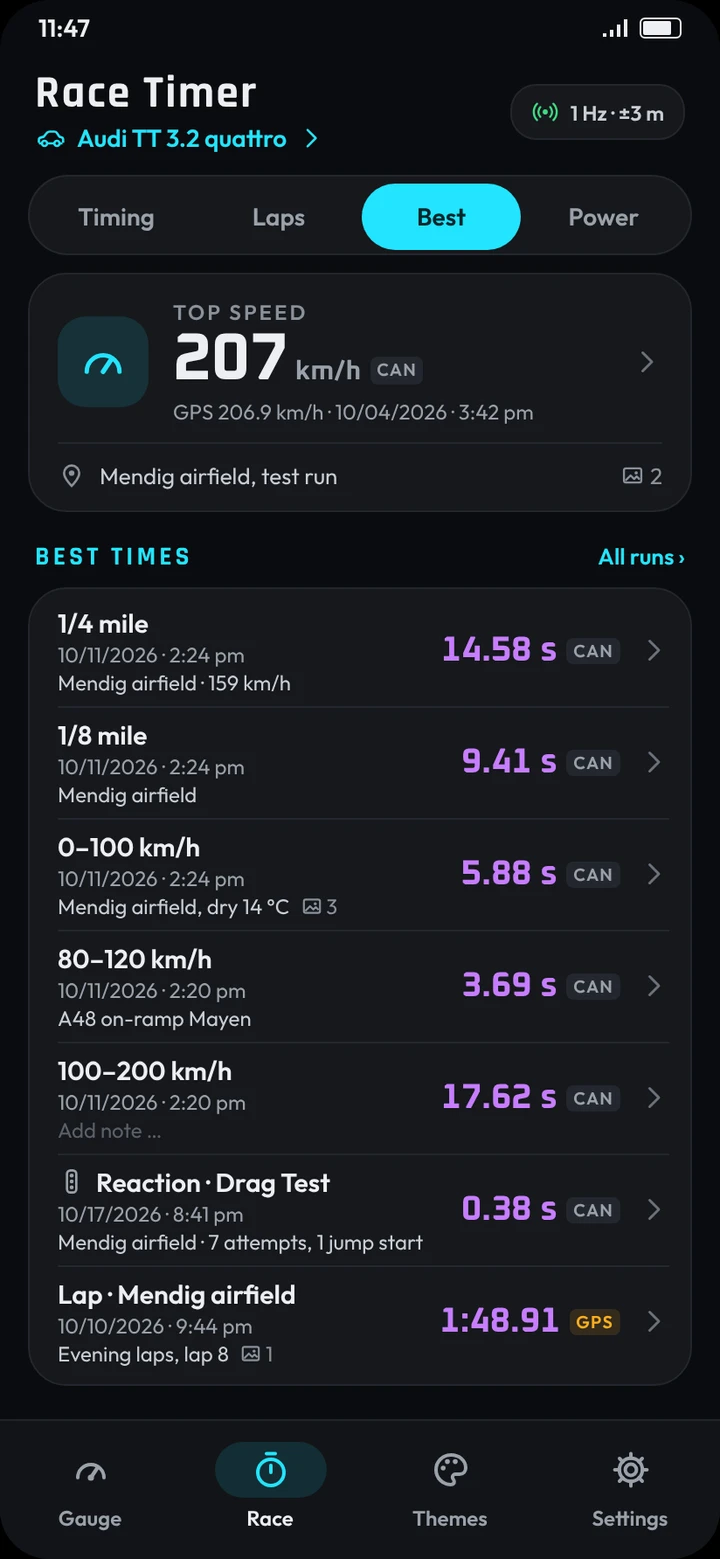
Laps & best times
Start/finish line set by GPS, by a tap in the app or on the CAN Checker. Live delta, names for session and track, and every best time in one list. All runs are grouped by session, and a whole session can be deleted in one go.
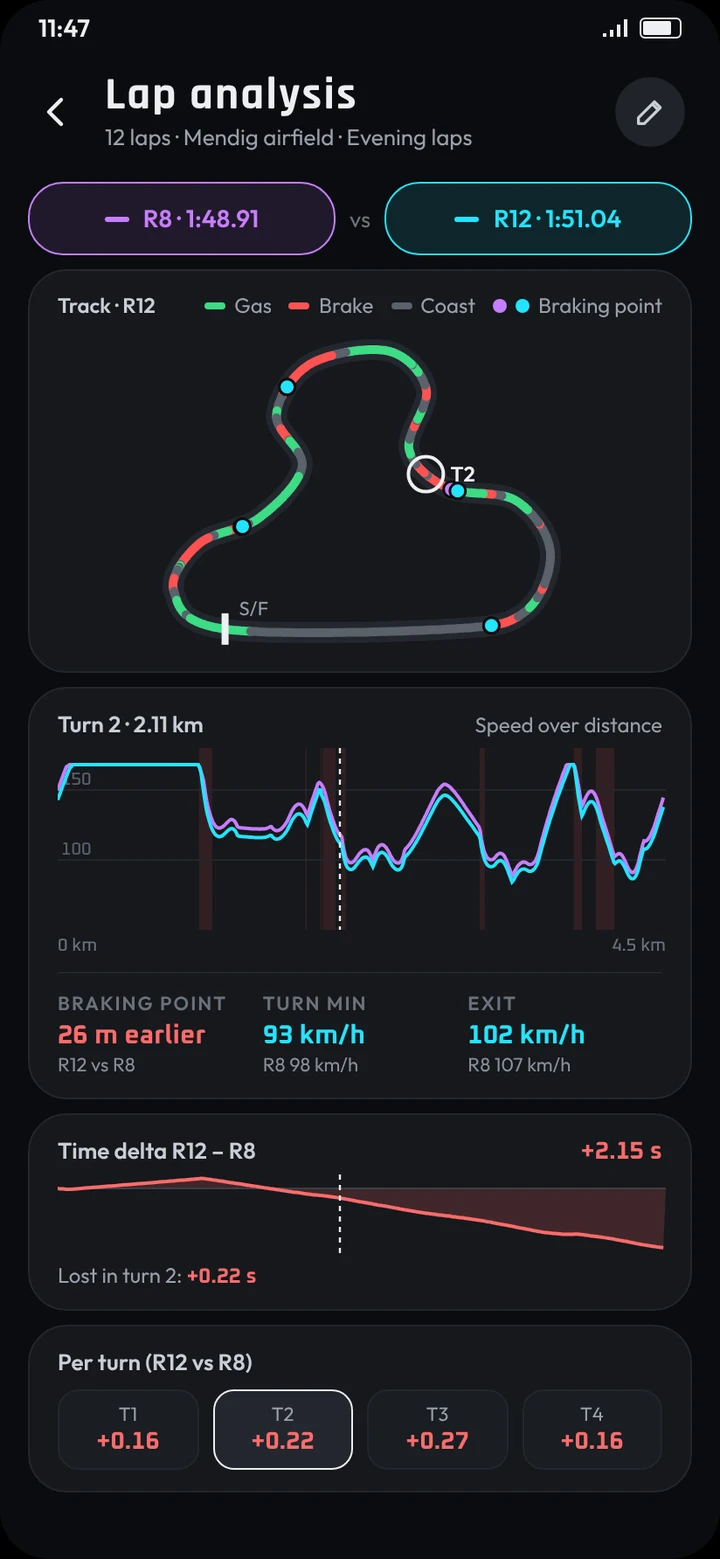
Lap analysis
The track coloured by throttle and brake, corners found automatically and the time lost in each one.
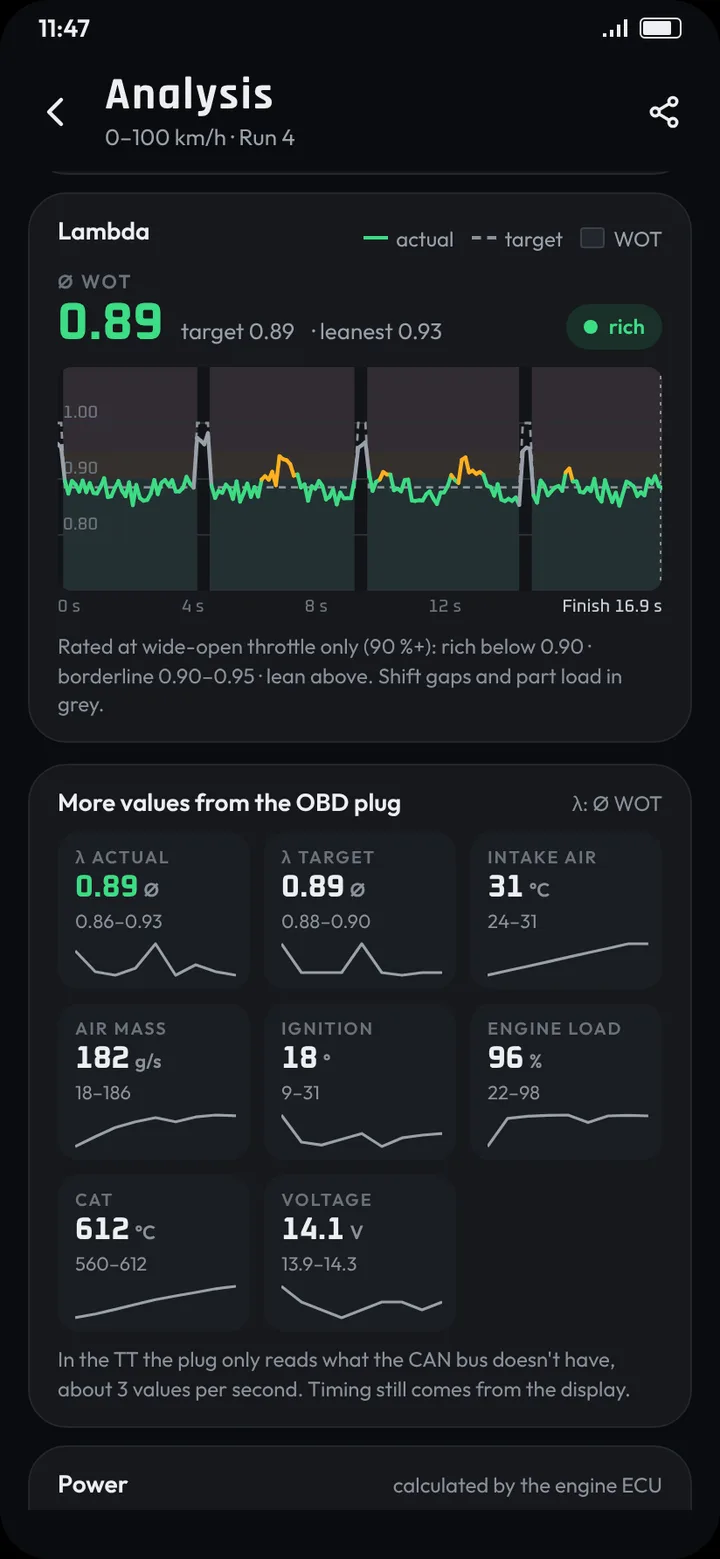
LambdaBeta
With an OBD adapter, every run shows its lambda trace from start to finish, actual against target, and the average at WOT. The rating is a guide, not a tuning target.
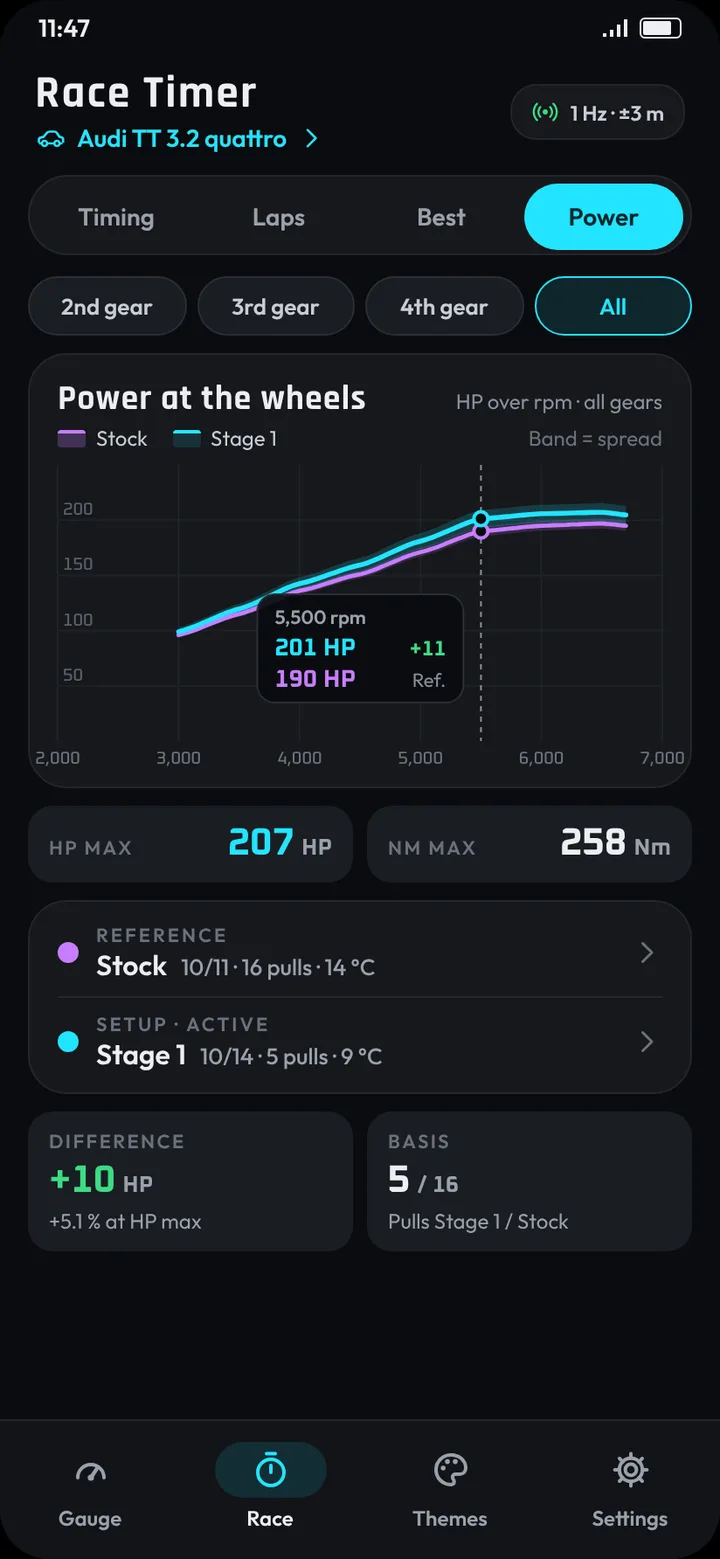
Performance DYNO
A power curve at the wheels, worked out from the acceleration, or at the engine. Save setups like “stock” and “Stage 1” and compare them.
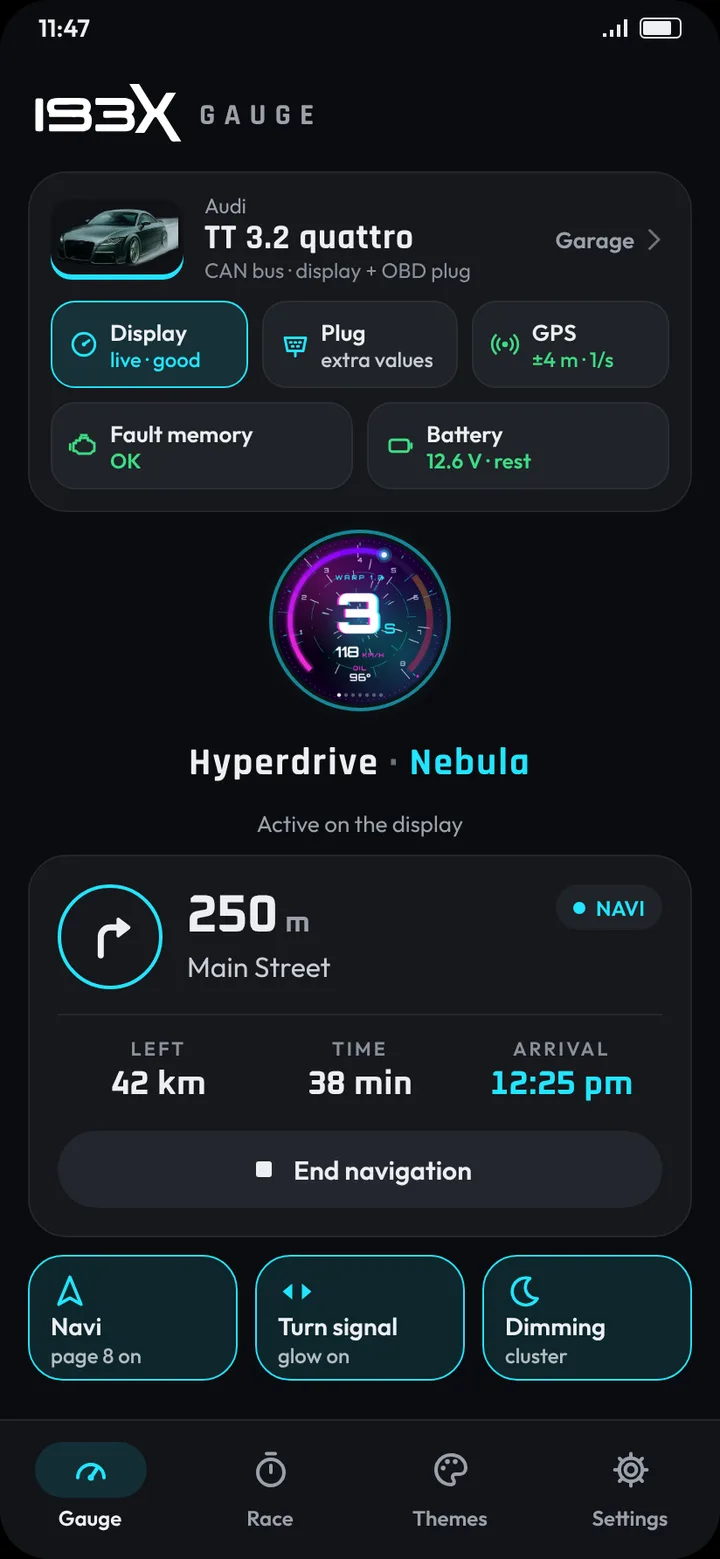
Car check
With an OBD adapter: read and clear engine and gearbox fault codes in plain text, check the battery at rest and while cranking, and watch the mixture live. Fault memory and battery show right on the home screen.
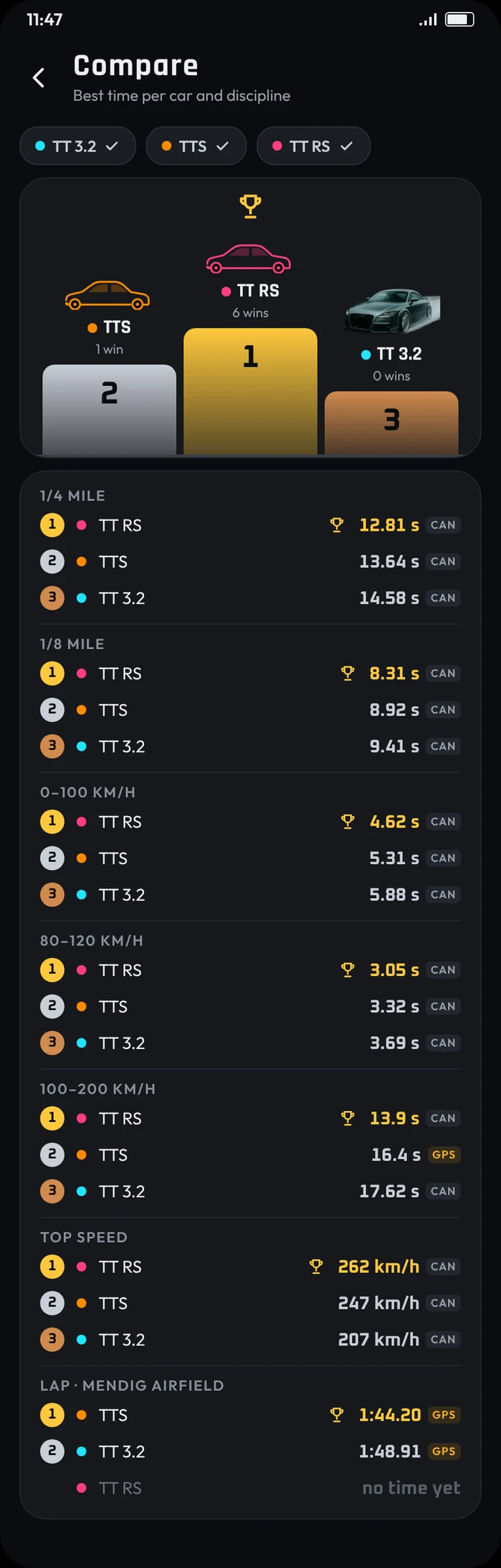
Garage
Several cars with photo, data and data source, and a comparison with a podium for every discipline.
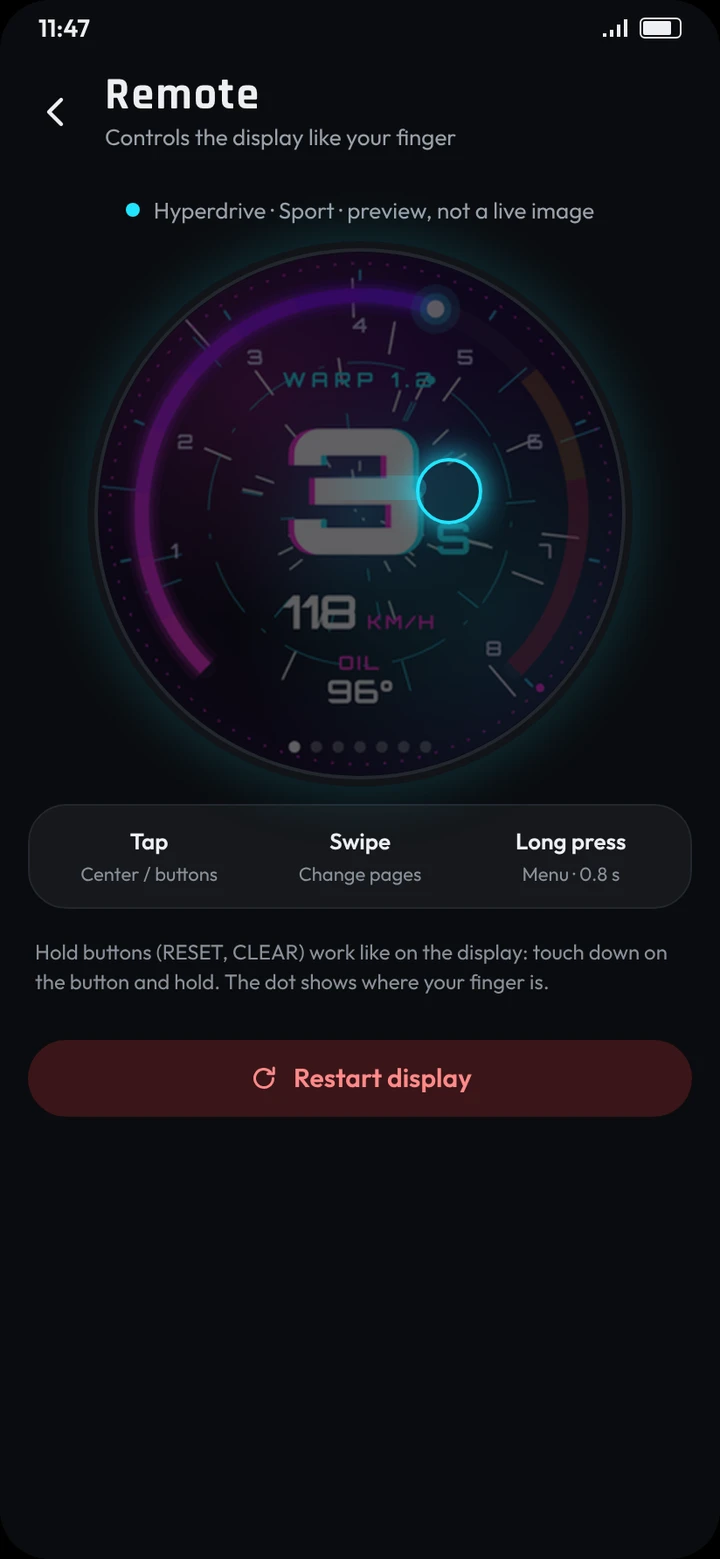
Remote & navigation
Control the CAN Checker from the phone, see the signal strength to it, and send Google Maps directions to it.
Export and Share
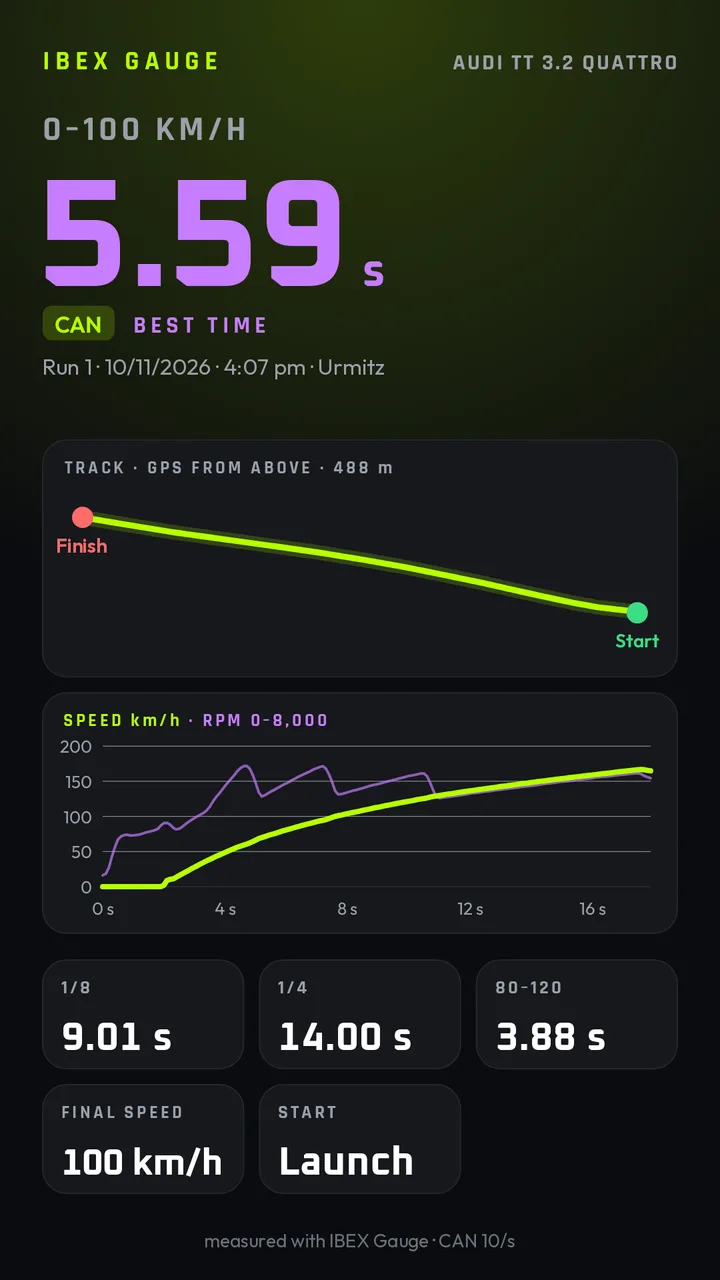
A portrait image for stories, a landscape card, or the data for RaceRender, RaceChrono or a spreadsheet. Share your runs straight to social media and with your friends.
Analysis
Speed over time, g-circle, power and torque over rpm, gradient, notes with photos and the conditions on the day.
Shift point
Your own value for every gear, or set automatically from your power curve. Sent to the CAN Checker or flashed on the car screen.
Parking & backup
Remembers where you parked and backs up all your data to a file.
* with an OBD-II adapter, e.g. an ELM327. Beta: currently being tested.
On the
car screen.
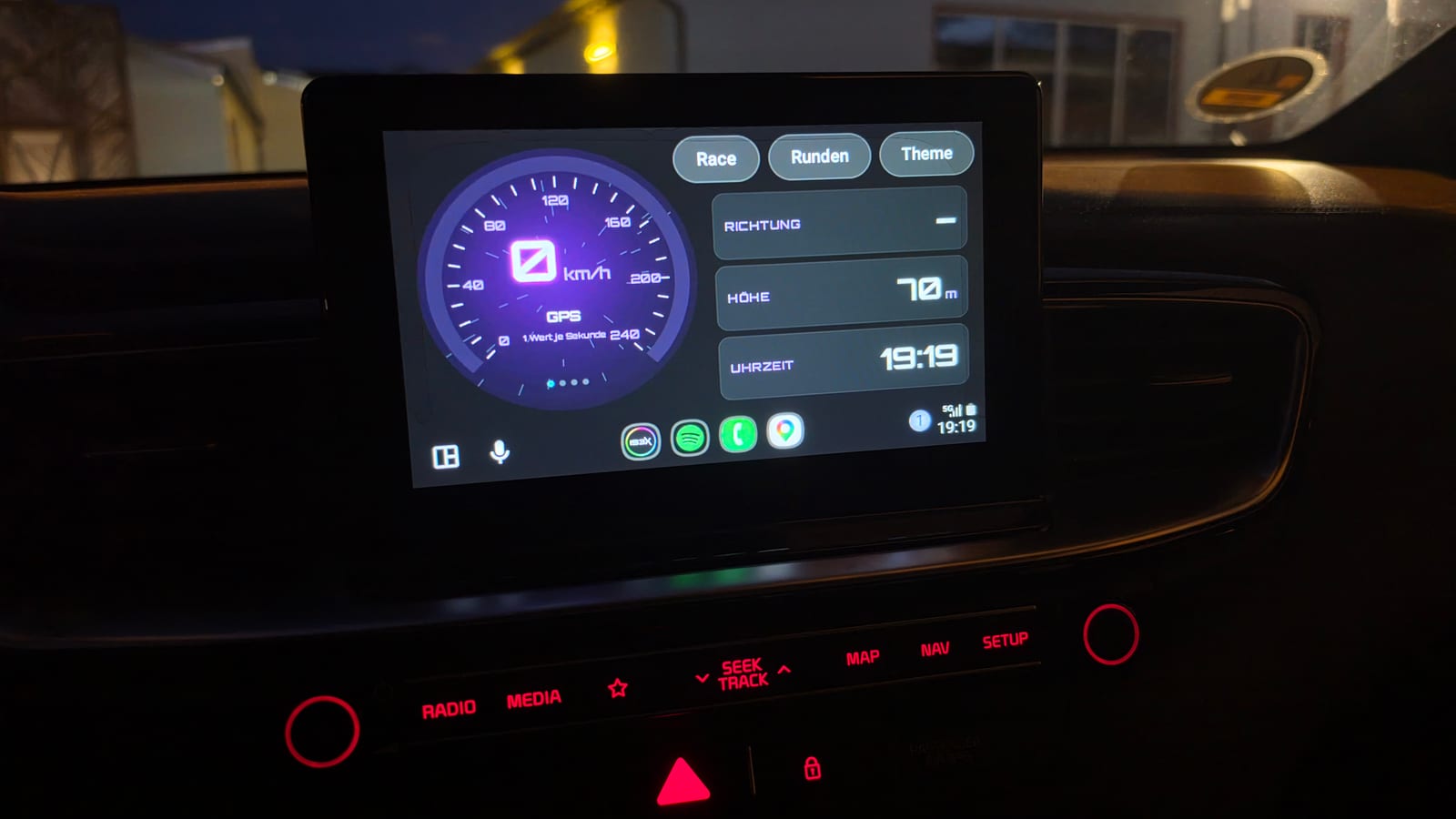
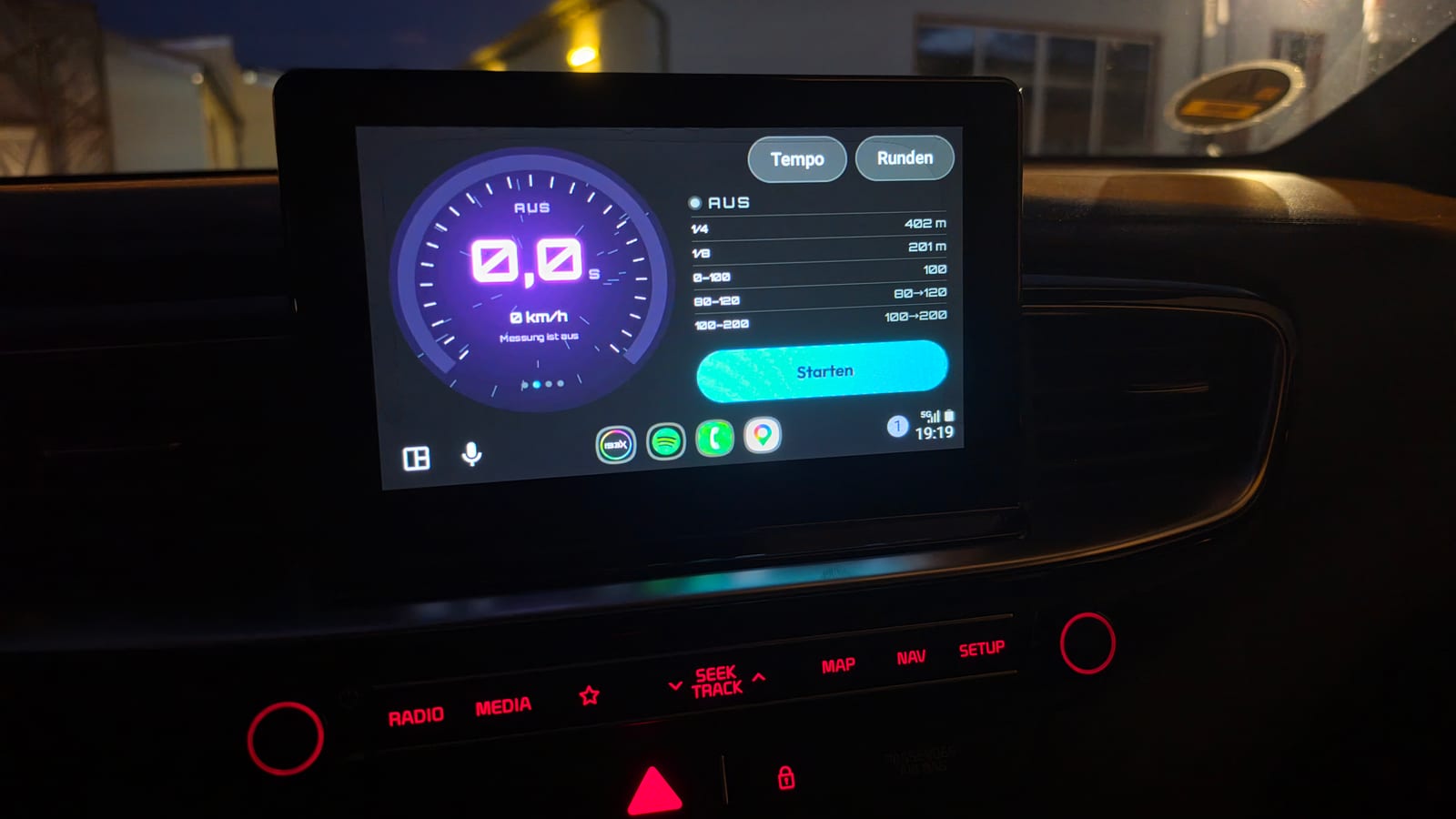
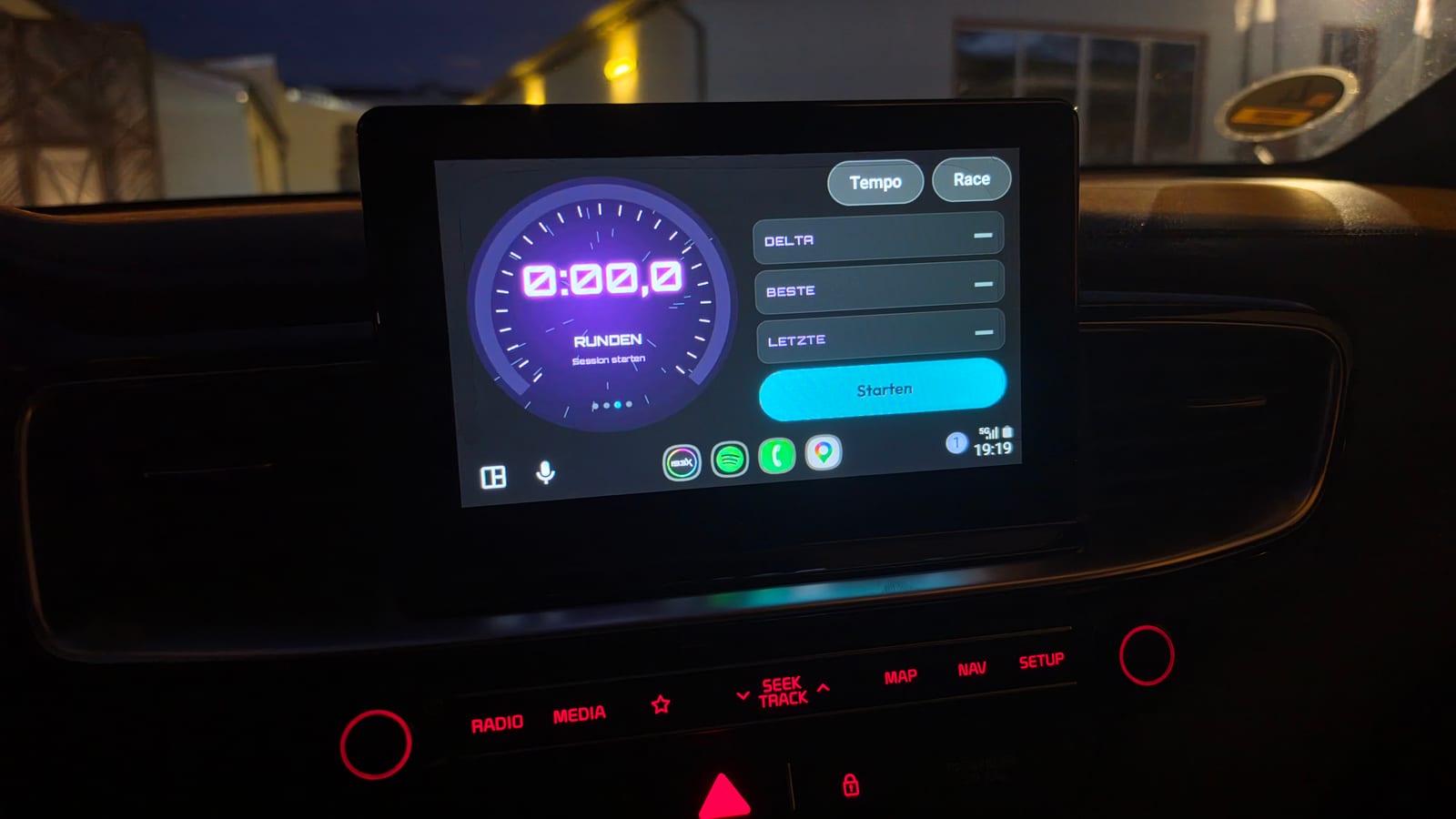
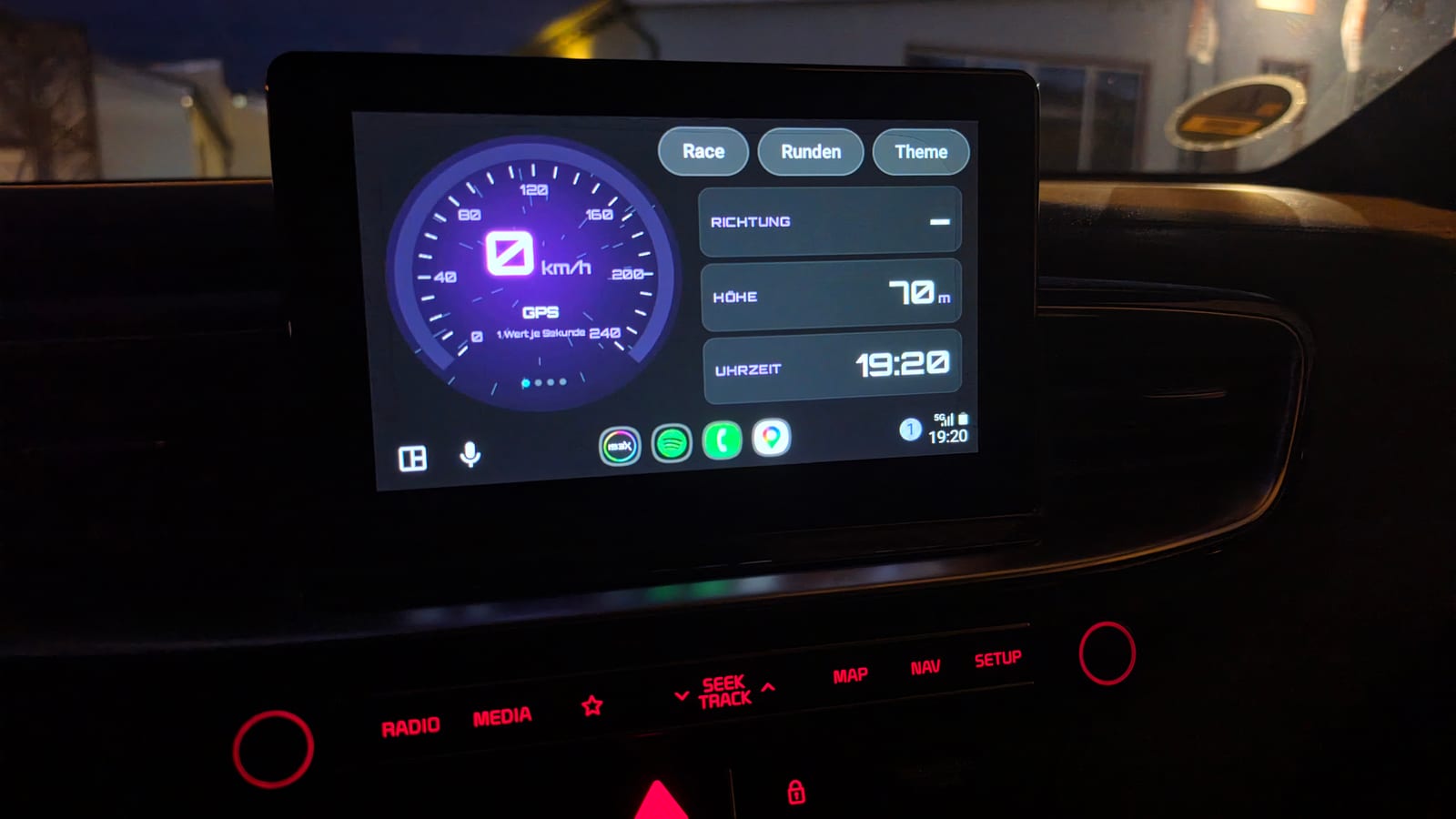
Its own instrument view instead of a plain list, scaled to any screen: wide, split, small or narrow.
Speed
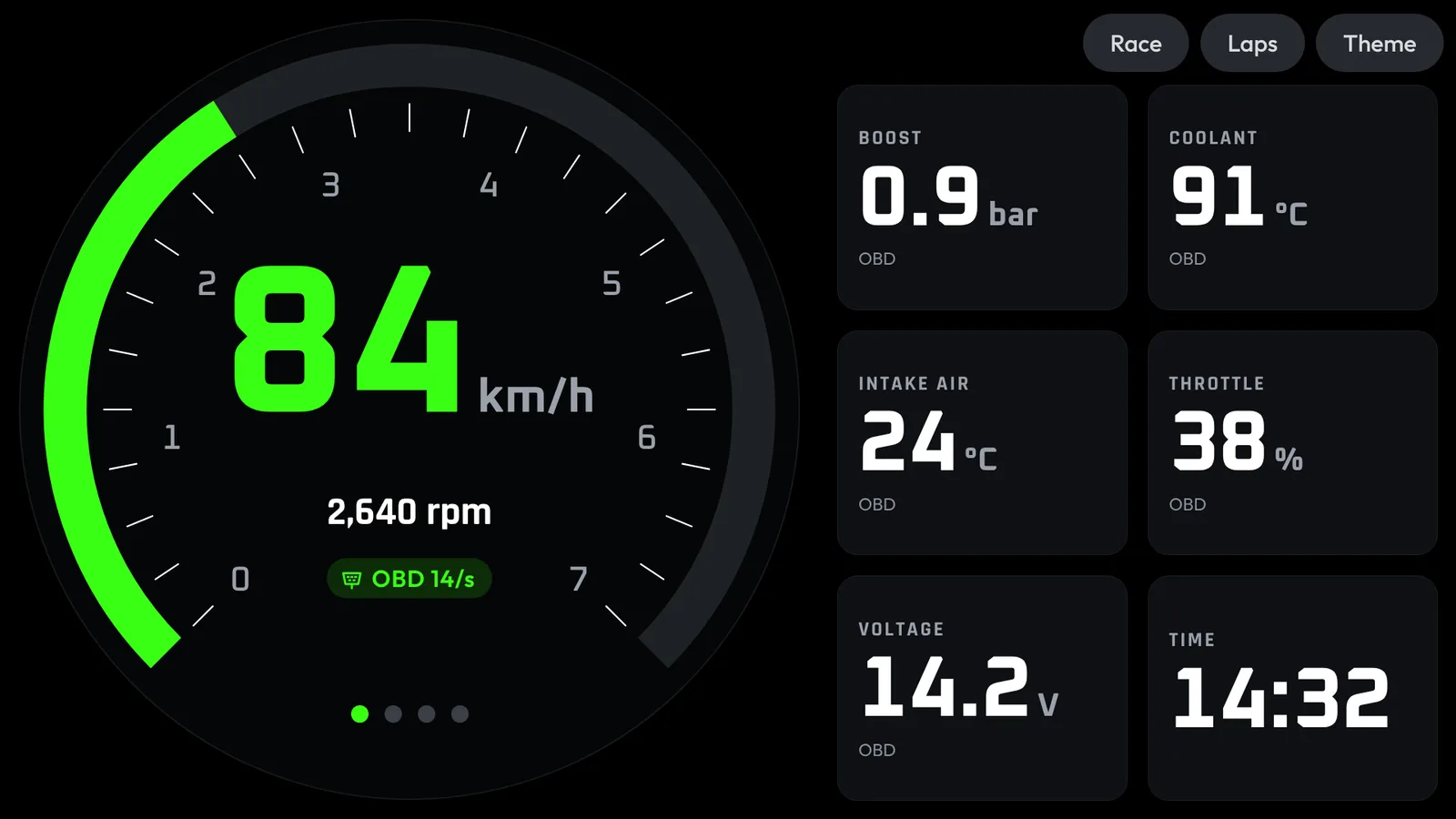
A round instrument with revs, plus the values from the CAN Checker or the OBD adapter.
Race timer
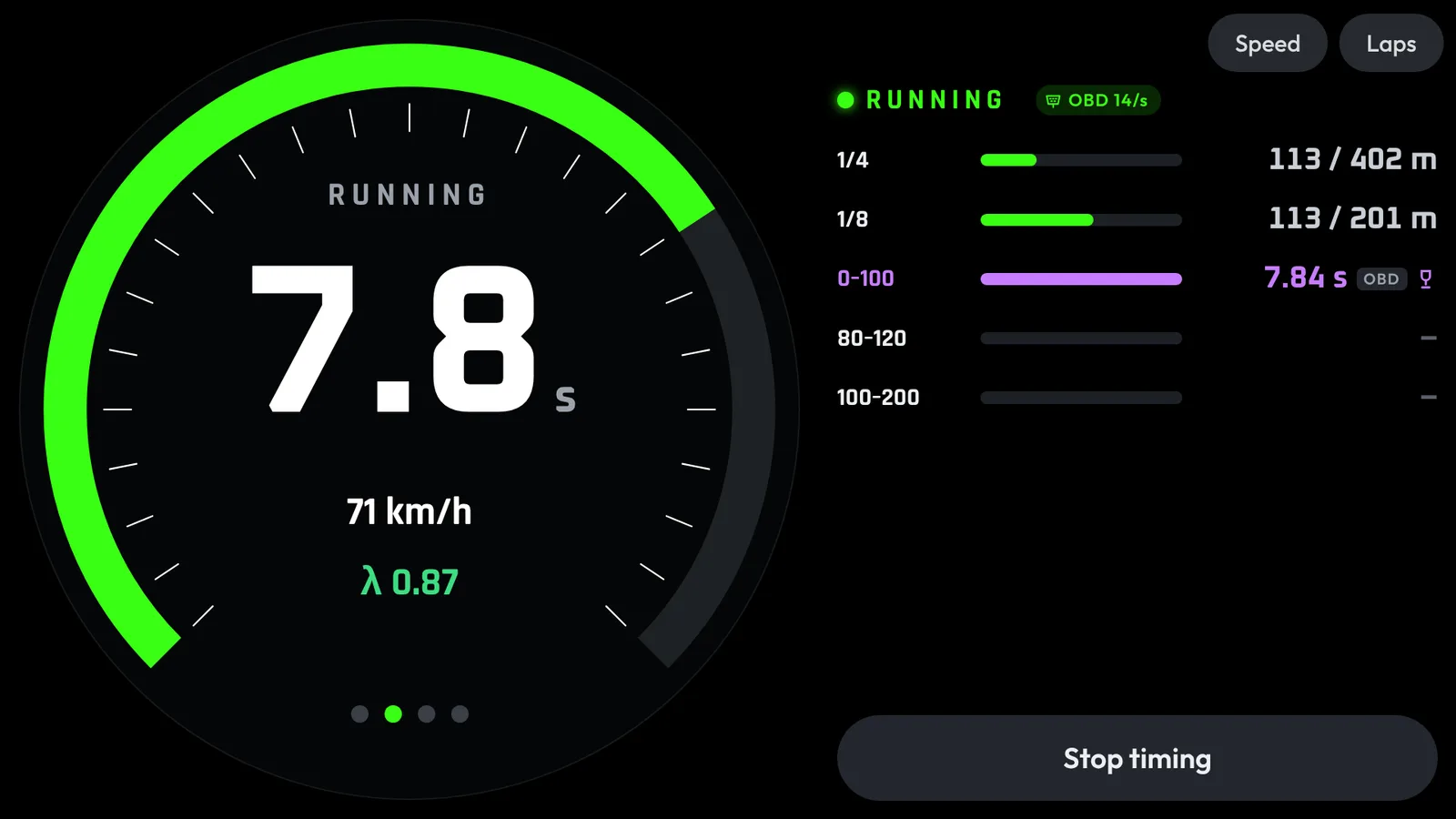
All five targets, and the run starts right from the car screen. Launch control is detected automatically. With an OBD adapter, lambda shows live too.Beta
Laps & best times
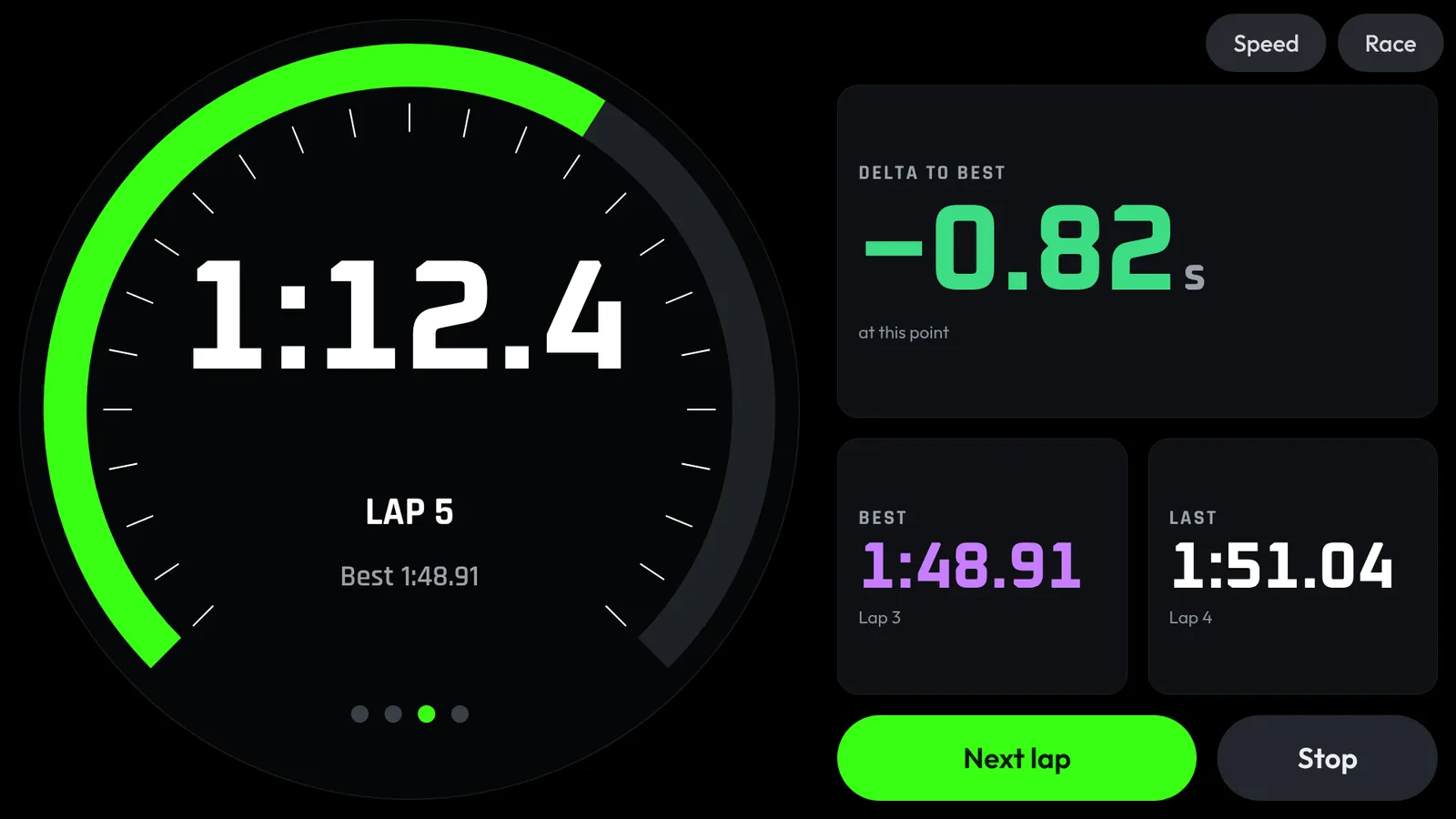
Live delta and the next lap. Best times only show while the car is standing.
Every setup.
Every feature.
The Smart Gauge CAN Checker is made for the Audi TT 8J. OBD + app and phone only work with any car.
On the Smart Gauge CAN Checker
| Feature | Smart Gauge CAN Checkerno phone | Smart Gauge CAN Checker + app | OBD + appany car | Smart Gauge CAN Checker + app + OBD | Android Autocar screen | Phone onlyGPS, any car |
|---|---|---|---|---|---|---|
| 7 pages: Sport, Temperatures, Timing, Laps, Power, Dynamics, Trip | ✓ | ✓ | – | ✓ | – | – |
| Navigation page with Google Maps directions | – | ✓ | – | ✓ | – | – |
| 11 themes, 54 styles | ✓ | ✓ | – | ✓ | Beta11 themes | – |
| Shift light, one rpm for all gears | ✓ | ✓ | – | ✓ | Beta | – |
| Shift light per gear, set by hand or automatically from the horsepower and torque on the CAN bus | – | Beta | – | Beta | – | – |
| Full-screen oil pressure warning | ✓ | ✓ | – | ✓ | – | – |
| Turn-signal glow, dimming with the instrument lighting | ✓ | ✓ | – | ✓ | – | – |
| Doors and lids open, top view | ✓ | ✓ | – | ✓ | – | – |
| Start-up animation and start-up image | ✓ | ✓ | – | ✓ | – | – |
| CAN logger to the microSD card | ✓ | ✓ | – | ✓ | – | – |
| Remote control of the Smart Gauge CAN Checker from the phone | – | ✓ | – | ✓ | – | – |
Timing and racing
| Feature | Smart Gauge CAN Checkerno phone | Smart Gauge CAN Checker + app | OBD + appany car | Smart Gauge CAN Checker + app + OBD | Android Autocar screen | Phone onlyGPS, any car |
|---|---|---|---|---|---|---|
| Where the times come from | CAN 10 Hz* | CAN 10 Hz* | OBD 11–17 Hz* | CAN 10 Hz, OBD fallback 11–17 Hz* | same as the app | GPS 1–10 Hz* |
| 0–100, 100–200 km/h, 1/8 and 1/4 mile | ✓ | ✓ | ✓ | ✓ | ✓ | ✓ |
| 80–120 km/h in-gear pull | – | ✓ | ✓ | ✓ | ✓ | ✓ |
| Launch Control detection | ✓ | ✓ | ✓ | ✓ | – | ✓ |
| Lap timer: tap on the Smart Gauge CAN Checker | ✓ | ✓ | – | ✓ | – | – |
| Lap timer: GPS start/finish line, live delta | – | ✓ | ✓ | ✓ | ✓ | ✓ |
| Drag test: Christmas tree and reaction time | – | ✓ | ✓ | ✓ | Beta | – |
| Best times, top speed, all runs by session | best + last 5 | ✓ | ✓ | ✓ | ✓when standing | ✓ |
| Fallback: if the Smart Gauge CAN Checker drops out, the adapter keeps timing | – | – | – | ✓ | – | – |
Power and analysis
| Feature | Smart Gauge CAN Checkerno phone | Smart Gauge CAN Checker + app | OBD + appany car | Smart Gauge CAN Checker + app + OBD | Android Autocar screen | Phone onlyGPS, any car |
|---|---|---|---|---|---|---|
| DYNO: horsepower and torque live from the ECU | ✓ | ✓ | – | ✓ | hp onlyspeed page | – |
| Power curve at the wheels, setups like stock and Stage 1 | – | ✓ | ✓ | ✓ | – | – |
| Shift point set automatically from your power curve | – | Betasent to the Smart Gauge CAN Checker | Betaflash on the car screen | Beta | Beta | – |
| Analysis: speed over time, g-circle, gradient, conditions | – | ✓ | ✓ | ✓ | – | ✓ |
| Lateral g, gear, hp and Nm in the analysis | – | ✓ | – | ✓ | – | – |
| Lap analysis: throttle and brake, corners, time lost | – | ✓ | ✓ | ✓ | – | ✓ |
| Lambda live while timing, lambda trace in the analysis | – | – | Beta | Beta | Beta | – |
| Export and share: image, RaceRender, RaceChrono, CSV, straight to social media | – | Beta | Beta | Beta | – | Beta |
Car check and extra values
| Feature | Smart Gauge CAN Checkerno phone | Smart Gauge CAN Checker + app | OBD + appany car | Smart Gauge CAN Checker + app + OBD | Android Autocar screen | Phone onlyGPS, any car |
|---|---|---|---|---|---|---|
| Read, clear and share engine and gearbox fault codes in plain text | – | – | ✓ | ✓ | – | – |
| Fault memory and battery on the home screen | – | – | Beta | Beta | – | – |
| Battery check while cranking, at rest and charging | – | – | ✓ | ✓ | – | – |
| Mixture live: lambda actual and target, fuel trim | – | – | ✓ | ✓ | – | – |
| Emissions readiness tests | – | – | ✓ | ✓ | – | – |
| Oil, coolant and outside temperature, consumption, fuel level, range | ✓ | ✓ | coolant, outside | ✓ | ✓value tiles | – |
| Intake air, air mass, ignition timing, engine load, catalyst, voltage, boost* | – | – | ✓ | ✓ | ✓value tiles | – |
* Boost only if the car reports it over OBD.
App
| Feature | Smart Gauge CAN Checkerno phone | Smart Gauge CAN Checker + app | OBD + appany car | Smart Gauge CAN Checker + app + OBD | Android Autocar screen | Phone onlyGPS, any car |
|---|---|---|---|---|---|---|
| Garage with several cars, comparison with a podium | – | ✓ | ✓ | ✓ | – | ✓ |
| App follows the colour of the Smart Gauge CAN Checker theme | – | ✓ | – | ✓ | ✓ | – |
| Remembers where you parked | – | ✓ | ✓ | ✓ | – | ✓ |
| Backup of all data to a file | – | ✓ | ✓ | ✓ | – | ✓ |
* Rates in Hz (values per second): CAN 10 Hz, OBD 11–17 Hz, GPS 1–10 Hz. Higher means more values per second. CAN is still the most precise source: the gauge listens to the car’s bus at a fixed 10 Hz with exact timestamps, while OBD has to ask for every value. Timing always uses the best source available: CAN → OBD → GPS.